Official Release
Windows 10 / 11
Microsoft Store
- Always-on-top Dock & Focus HUD
- Screen-share stealth mode
- Native desktop experience
- Typed rehearsal without a network
Traditional teleprompters break the moment a conversation pivots. QPilot listens to what you actually say and dynamically checks off agenda points as you cover them—in any order. Stay present, hit every talking point, and ditch rigid scripts.

QPilot — Studio · Discovery call · ACME Corp
Live agenda
0 of 4 covered
Transcript
engine: simulatorDecision telemetry
Waiting for speech… threshold 2.5 / 5.0
Simulate speaking
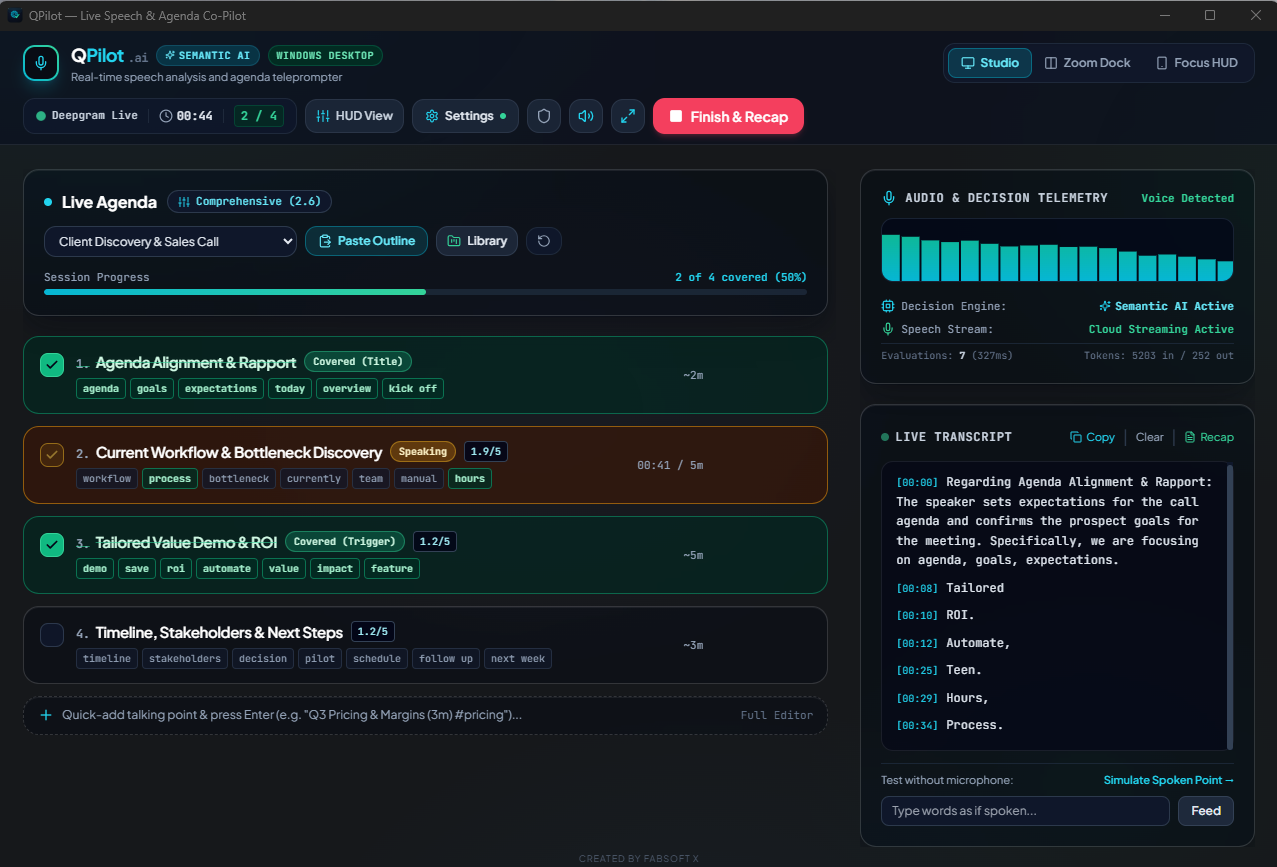
↑ Live demo. Click #4 before #1 — QPilot never resets the flow.
A live agenda, your own microphone, a running transcript and a decision engine that keeps score while you stay in the conversation. This is the Windows app, not a marketing render.
Features
Everything a presenter needs to stay on message — without reading a script or breaking eye contact.
Agenda points ratchet to complete the moment your words match their intent. Skip ahead, circle back, answer the curveball. Nothing resets.
On Windows, QPilot can exclude its own window from capture — invisible to Zoom, Teams and OBS while you share your screen.
Keep the Windows prompter above your slides and video calls while you present.
Low-latency speech-to-text with Deepgram Nova-2 on your own key. Browser speech is available where supported; typed rehearsal remains available without transcription.
Give every talking point a time budget. QPilot tracks elapsed time so long answers never eat your close.
Start from investor pitch, engineering stand-up or lecture templates — or build and save your own.
Coverage telemetry and the full transcript, ready to copy into your CRM, notes or AI tool of choice.
Obsidian, Violet Haze, Emerald, Ember and Mono — with real Acrylic and Mica window materials on Windows 11.
The 3 Display Modes
QPilot morphs to fit your screen — from a full dashboard while you rehearse, to a slim dock during calls, to a focused presenter view on stage.
Full mission control
Your rehearsal room and command centre. Everything QPilot hears, decides and tracks — on one screen.
Pin QPilot above your slides and video calls while you present from the Windows app.
Desktop app
Native always-on-top
Desktop window resizing plus optional capture exclusion on Windows.
Architecture & Privacy
QPilot is a presenter tool, not a surveillance tool. It lives on your machine, listens only to you, and keeps your keys in your hands.
Evaluates contextual intent rather than requiring verbatim script reading. Jump ahead, answer a customer’s question, and QPilot checks the item off automatically.
intent > keywordsNo intrusive “QPilot Notetaker” joins your video calls. QPilot listens to the microphone you select, not a separate feed of meeting participants.
your mic onlyDirect integration with Deepgram Nova-2 on your own key. Keys and agendas live on your device — no Fabsoft X account, no transcript database, zero retention.
bring your own keyDeepgram and browser Web Speech handle live transcription when available. Without speech recognition, type or simulate text to rehearse locally; offline microphone transcription is not included.
| Capability | QPilot | Meeting bots |
|---|---|---|
| Joins your call as a visible participant | ||
| Captures a separate meeting audio feed | ||
| Keeps a transcript database in the app’s account | ||
| Uses your own API keys | ||
| Guides you live, while you speakBots summarise after the call | ||
| Typed agenda rehearsal without internet | ||
| Non-linear agenda tracking |
Made for real moments
From the stage to the studio to the boardroom, stay with the people in front of you. Let QPilot hold the agenda.
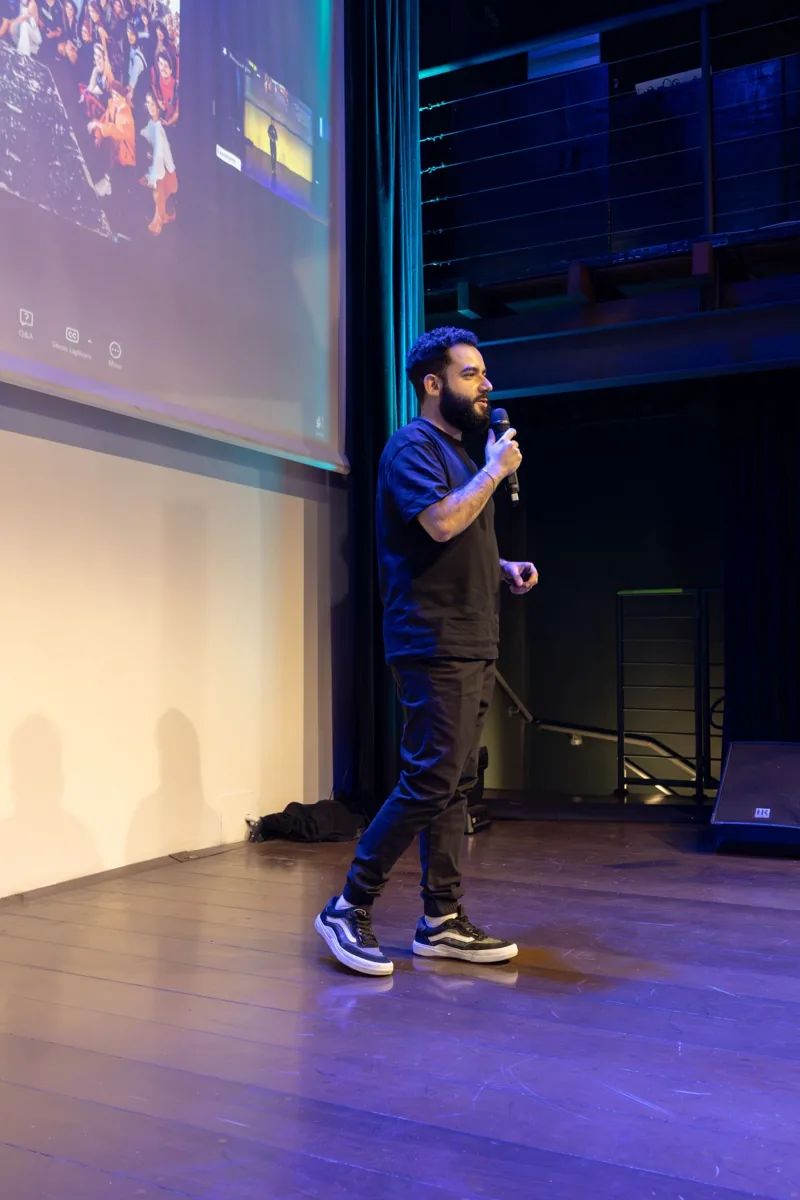
Keep your eyes up when the script goes out the window.

Stay curious, without losing your next question.

Let the client lead. Know what you still need to cover.
Use Cases
Real conversations don’t follow slide order. QPilot was built for the ones that matter most.
The pain
High-stakes discovery calls where clients ask questions out of order, leading reps to forget critical qualification criteria.
The QPilot solution
Speak conversationally. When the prospect skips to pricing or compliance, QPilot marks it off and leaves the skipped discovery questions uncompleted — so nothing slips before you hang up.
2 of 5covered out of order — 3 still flagged
Example agenda · live
The pain
High-stakes discovery calls where clients ask questions out of order, leading reps to forget critical qualification criteria.
The QPilot solution
Speak conversationally. When the prospect skips to pricing or compliance, QPilot marks it off and leaves the skipped discovery questions uncompleted — so nothing slips before you hang up.
2 of 5covered out of order — 3 still flagged
Example agenda · live
Standard & Pro
A straightforward free edition today, with simpler, connected plans on the way.
Your co-pilot, on your terms. Bring your own keys for the cloud services you choose to use.
Free
Your API provider may charge for usage.
Managed services with no API keys to configure, plus a connected experience designed to follow you across devices.
Tiered plans
Pricing and plan details to be announced.
Today: Windows and web.Mobile and cross-device Pro continuity are on the roadmap, not available yet.
Download
Get QPilot on Windows through Microsoft Store. macOS, Android and iOS are coming soon.
Microsoft Store
Native desktop release planned
Android & iOS
Your agenda, quietly keeping score while you have the conversation that actually happens.